Use music practice software
to help speed your progress
While there aren't many specific music practice software programs there are many others to support and enhance your practice. Music software is released on a frequent basis so come back often and check for new reviews. The main thing to remember when using any music software to support your practice is that it is you who is doing the practice - not the music software!
You need to be sure the software you are using for music practice is making your instrumental practice more effective and efficient. For instance, Guitar Hero is a lot of fun, and it may even enhance your timing and hand-eye coordination... but it isn´t music practice software and it won't improve your real guitar playing! Having said that, I have seen some people playing Guitar Hero who don't play guitar... but if they spent as much time playing guitar as guitar hero they would be AMAZING!
Read my new review of the Scalebox App for iOS and Android which helps you ensure you have practiced all your scales and keeps track of which scales you need to practice more plus gives you mock exams.
Music Practice App For iOS
I have just released a Music Practice App for iPhone and iPod Touch. This uses the techniques on this site and in my book Practice Makes Perfect to keep you focused on your practice targets each week. Read more about the Music Practice App
Recording for evaluation
Recording yourself playing and listening back to it while following the score is an excellent way to evaluate what needs to be practiced. When we are playing we are often concentrating so hard on getting the note, timing, articulation, dynamics and tempo right we forget the most important thing... to listen to how we sound!
I often use my mobile phone for making a quick recording of my playing. I get instant (if not great quality) feedback and it is quick and easy to set up. Using audio recording on your computer or a stand alone device is a good alternative if you need something of higher quality, especially if you are recording yourself to evaluate your performance just before a concert or exam. Click here more information on audio recording software you can use for practice on the Mac and PC
Practice Backing Tracks
One of the problems of practicing if you are a soloist and don't have a band, orchestra or accompanist to rehearse with, or if you play any form of jazz, rock or pop music is practicing on your own, especially when it comes to improvisation. Improvisation improves with practice (of course!) and it can be very beneficial to improvise with no band behind you as it forces you to make sure your melody follows the chord structure... but it is a lot more fun to have a band behind you! One answer is to buy the 'minus one' backing tracks CDs. There are some excellent quality recordings out there, especially the classical orchestral accompaniments. The trouble is you often have to buy a whole CD for just one track.Click here for more advice and recommendations when buying a Minus One CD.
Having a band on your computer or keyboard to back you up is another answer. There are three ways to do this.
- Use keyboard with backing tracks and play along with a recording of the track
- search the internet for MIDI files and use software to mute the track you are playing
- use Band In A Box PC or Band In A Box Mac software. Although Band In A Box is advertised as a composition program, not music practice software, I have yet to find a better way to practice jazz on my own!
All three methods have their pros and cons. Click here for more advice on using backing tracks in your practice including reviews of new music practice software apps that will accompany your practice in a variety of styles.
Slow Down Music Tracks
Have there been times when you want to practice with a recording but it is at the wrong speed? The difficulty was always keeping the pitch the same when the tempo of an audio file was altered. The good news is that now there is software build into your Mac or Windows computer that can do this for you! And if it isn't you can download it for free! Click here to find out how to slow down music tracks.
You will also find a review of a new app for iOS called SoundPitch which runs on your iPhone, iPod or iPad. I have just downloaded this and will be writing an extended review of it once I have had a chance to use it for a while. The great thing about this app is that as well as being able to slow music down, it can also change the pitch without changing tempo!
As mobile devices become more prevalent I'm sure more and more music practice software apps will arrive on the market. Bookmark this page, or subscribe to the RSS feed on the left to keep up with current developments and be among the first to know when the new section on music practice apps is up and running.
Music practice Software Packages
There are also various music software packages aimed at practicing or learning new skills. Some of these are useful, even if you already have a teacher, as they support what you are learning in your lesson and give you valuable practice with new skills. Here is a (developing) list of music practice software for different instruments.
Click here for information on piano software
Expert Practice Secrets
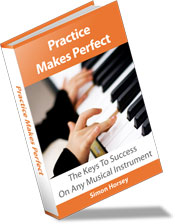
Frustrated with your practice? Read Practice Makes Perfect and hack the 10,000 hour rule. Cut your practice time by up to 25%! Make faster progress, learn pieces and scales faster, memorize more easily, and much more. "If you play an instrument you need this book!"
Recent Articles


-
From an opera singer, on her death bed to Leonard Bernstein
Jan 29, 24 03:36 PM
I enjoy reading the music more than hearing it. From an opera singer, on her death bed to Leonard Bernstein -
unknown
Jan 29, 24 02:52 PM
Not happy with your tone? Practice more. -
Baglama Lesson, Tarditional Turkish Music
Oct 17, 17 06:51 PM
I took my online lessons from an Azerbaijani musician in Istanbul. I could find him from his website. I put here for in-need people. I am very satisfied
New! Comments
Have your say about what you've just read!Leave me a comment in the box below.