Practice tracks
Where's my band?
The start of this page focuses mainly on jazz and popular music practice tracks. If you are looking for classical rehearsal tracks please scroll down the page to MIDI files or Click here for information on 'minus one' CDs. (This page opens in a new window to allow you to compare the MIDI file route with the 'Minus One' route.)
A perfect piece of software for providing rehearsal tracks on both Macs and PCs is Band-in-a-box. This is perfect for practicing jazz, rock, pop and latin songs. In fact, it is great for music practice tracks in any popular style. I am currently using Mac V. 12 - which some may describe as a little 'clunky' - but it does the job admirably and has been doing so (without crashing) for a long time now.
All you have to do is select a style, type in your chords, decide which instruments you want to back you up and hit play! You can even program how many choruses you want it to play. I find this invaluable when practicing jazz on the piano since the bass line and melody is provided, meaning I can concentrate on practicing my comping and when I want to practice improvisation I just turn off the melody instrument! This is highly recommended to anyone who practices improvisation... or anybody who wants to learn! Talk to your local music shop about getting a copy or Click here for more information on Band In A Box from the PG Music site.
MIDI Files
Another practice tracks option is to find a MIDI file of the track you are practicing and mute your instrument. If you have a keyboard that plays MIDI files just load them into there and off you go! Otherwise Quicktime (Mac and PC) and Windows Media Player (PC) both play MIDI files but cannot mute individual tracks. If you want to do that you will need some software that can play the individual tracks. If you are a Mac user look no further than GarageBand. Just drag the MIDI files into GarageBand and it will open them with individual instruments one per track, allowing you to mute tracks as you need. If you are a Windows user there isn't currently any multitrack recording software provided with the Windows OS. Click here to go to the page on recording your music for alternative software including the new Microsoft program SongSmith although I'm not sure if this plays MIDI files. Check back for an update soon when I have had a chance to do a full review.
There are several sites on the internet that offer Classical MIDI files.These can be very useful when you need practice tracks for a concerto, sonata or if you sing with a choir and you need to hear your part. Click here to go to the Classical Archives page and Click here to go to the Classical files at Midiworld. Both links will open in a new window and I have found the files here are generally of very good quality (well... as good as the General MIDI soundset allows!)
As far as pop and jazz MIDI files go... be warned, there are plenty of very bad MIDI files out there, along with the good ones. By the time you find a good one you could have put the chords into Band In a Box and practiced for a couple of hours... or played in the backing track yourself!
I tend to put the whole title of the piece I am looking for into Google in quotes with the .mid extension. That way I avoid all the lyrics pages coming up in the search. E.g., if I was searching for a MIDI file of Autumn Leaves i would put "Autumn Leaves.mid" into Google, including quotes.
If you find MIDI sites you think would be useful to others for practice please let me know in the comments below or Contact Me and I will publish them on this page and in a future article on using MIDI in your practice for the Perfect Practice monthly e-zine. If you haven't signed up yet, please do so below for extra articles and tips on making your practice more efficient and effective.
Apps
There are many new Apps for iOS and Android which are dedicated to music practice tracks, or have that feature embedded in them. One of my particular favourites, is iReal Pro. This is an app that can have chord pattens loaded into it, in the same format as a the piano Real Book. The app is free and there are hundreds of free chord patterns for jazz and latin standards, holiday songs etc. for download from the forums. In app purchases allow you to buy styles that turn your chord patterns into backing tracks for you to rehearse with. This is a great app if you play jazz and want a band to rehearse with. It is like Band In A Box for iOS!!
Record your own!
Another option is to record your own backing tracks. This can be done either on a keyboard that has a built in sequencer or in a multitrack software package. Click here for more information on software packages if you have a PC, if you are an Apple user you already have GarageBand!
Using a keyboard or software you can either record all of the practice tracks individually, or use some of the automated features such as single finger chords on a keyboard or the loops in GarageBand to save a little time. If you are using the backing track for a performance I think this is the best option... but if you are only using it for rehearsal unless you want to practice your arranging or recording/editing skills I'd take the short cut and go with Band In A Box!
Expert Practice Secrets
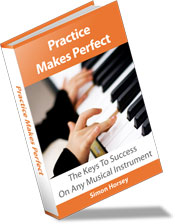
Frustrated with your practice? Read Practice Makes Perfect and hack the 10,000 hour rule. Cut your practice time by up to 25%! Make faster progress, learn pieces and scales faster, memorize more easily, and much more. "If you play an instrument you need this book!"
Recent Articles


-
From an opera singer, on her death bed to Leonard Bernstein
Jan 29, 24 03:36 PM
I enjoy reading the music more than hearing it. From an opera singer, on her death bed to Leonard Bernstein -
unknown
Jan 29, 24 02:52 PM
Not happy with your tone? Practice more. -
Baglama Lesson, Tarditional Turkish Music
Oct 17, 17 06:51 PM
I took my online lessons from an Azerbaijani musician in Istanbul. I could find him from his website. I put here for in-need people. I am very satisfied
New! Comments
Have your say about what you've just read!Leave me a comment in the box below.